This is a community directory of crew colors for modded vehicles—colors you can’t get in the normal in-game color editor. The game only allows certain hex values; colors that end in AA, FF, or 00 (and some others) in the hex code are blocked in the editor but can be applied via inspect element on the Rockstar crew / Social Club page.
What counts as a “modded” crew color?
Any crew color that uses a hex value the game’s editor won’t accept. In practice, that often means the last two digits of the hex are AA, FF, or 00. If you can set it in the editor, it’s not modded—only colors you have to set via inspect element (or similar) belong here.
How to make them (inspect element)
You set these colors on Rockstar Social Club by creating or editing a crew and changing the color field in your browser’s developer tools (Inspect). The steps below match what you’d do for a modded hex: you’ll need 00, AA, or FF as the last two digits of the 8-character crew color value so Social Club will save (the normal picker won’t allow those endings).
Browsers differ slightly (Chrome, Firefox, Edge, Safari), but right‑click → Inspect on the color control and edit the input’s value the same way. Questions? Ask in Discord.
1. Create the crew
From Social Club, open Create a Crew (or use Create a Crew from your crews list).
- Turn off invite-only so others can join and use the color if you want it public.
- Set a crew name (often the color name, e.g. Pure White) and a crew tag (required).
- Add an emblem only if you want one.
- Pick any color in the UI for now and save the crew.
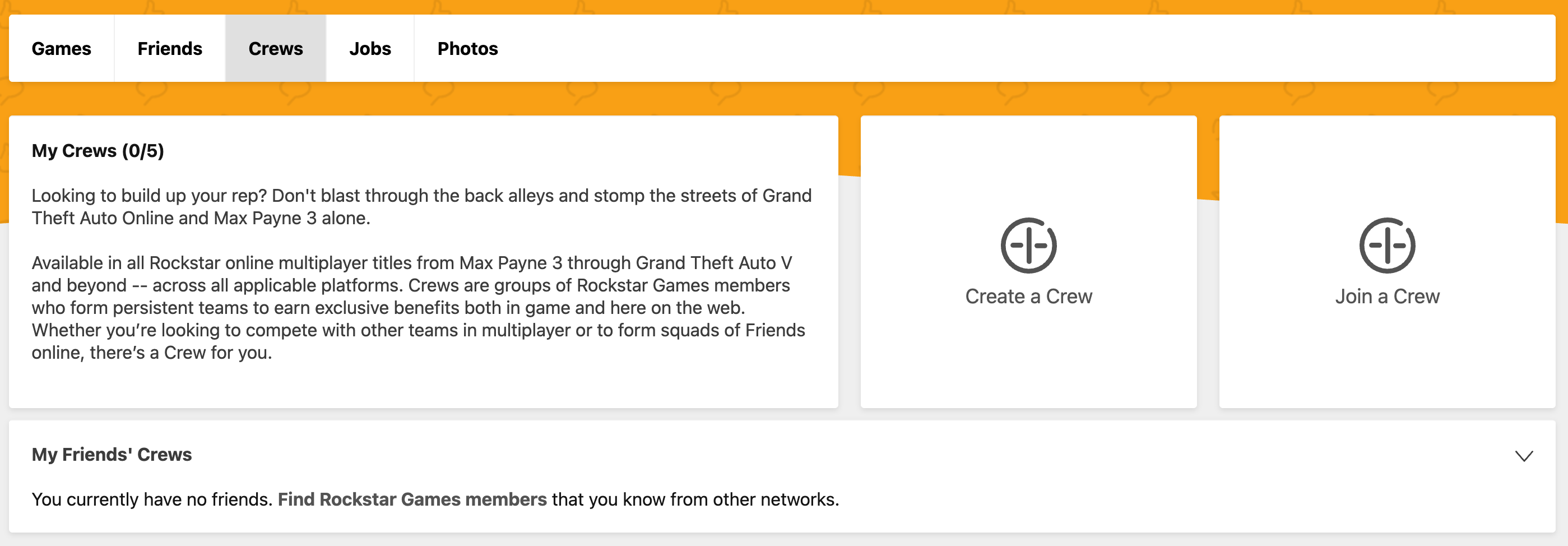
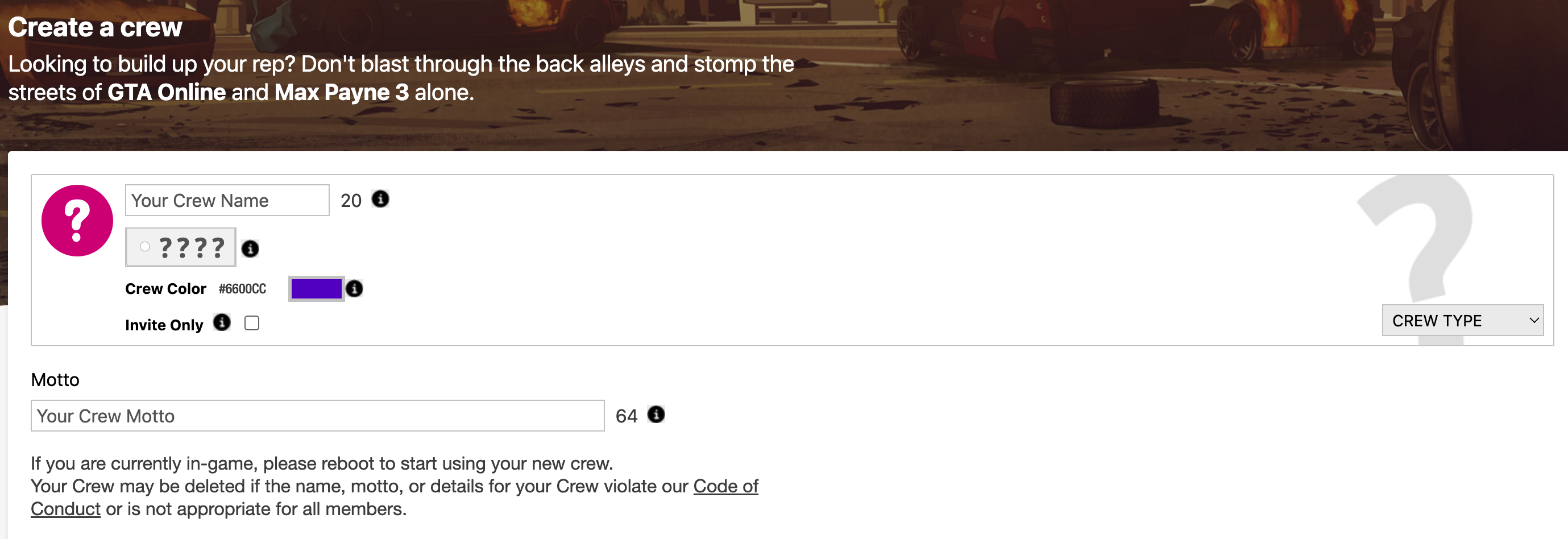

2. Edit the crew again
After it’s saved, open the crew from Social Club (for example from notifications or your crew list) and go to Edit Crew. This is where you’ll use Inspect to set the real modded color.
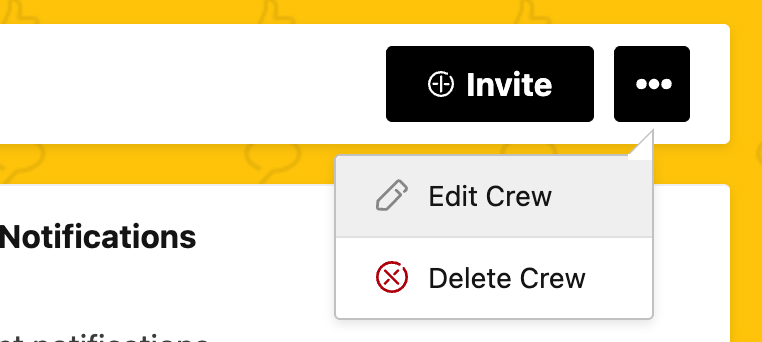
3. Inspect the color input
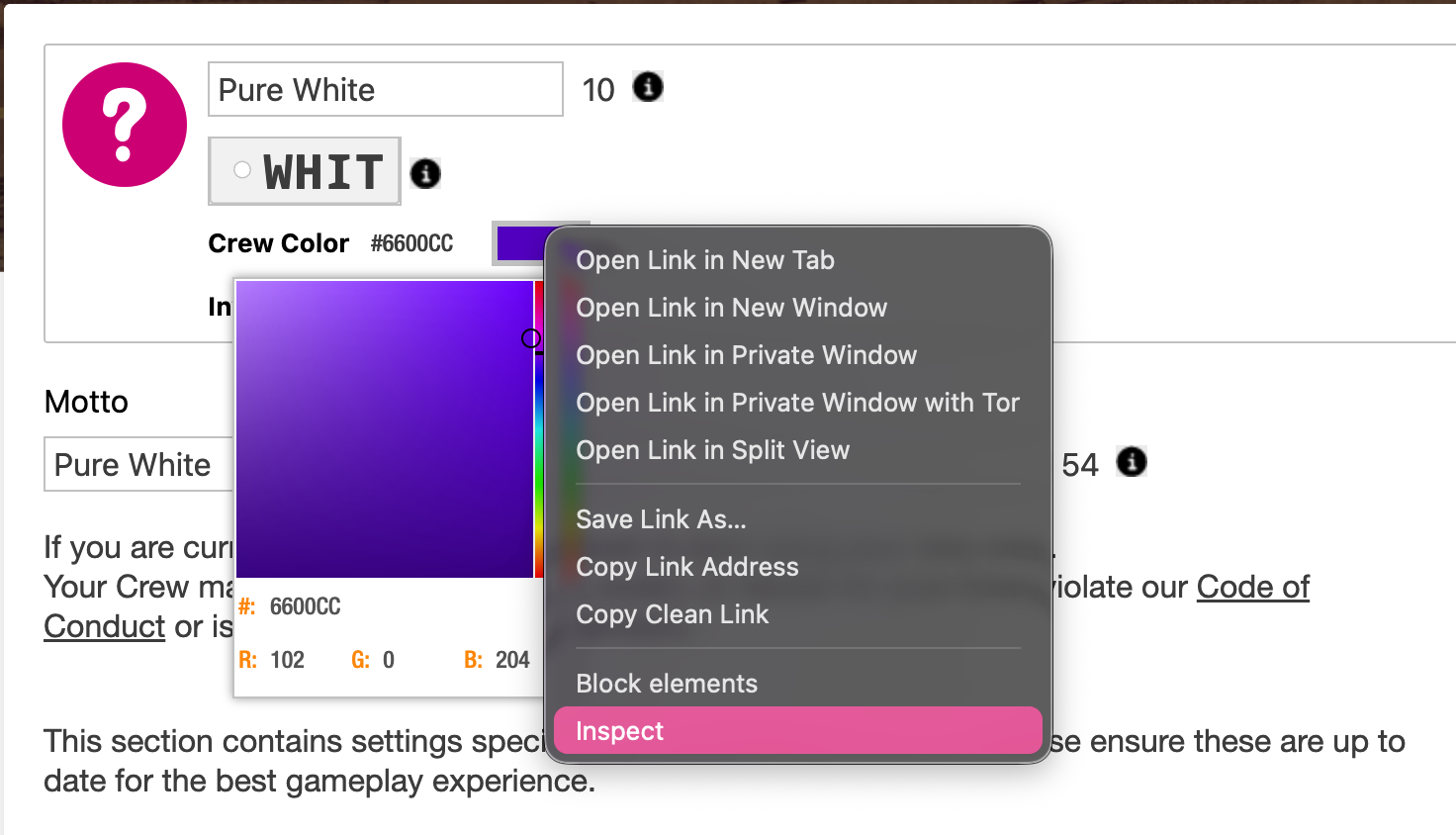
Right‑click the color box and choose Inspect (or Inspect Element). In the HTML, find the color input — it will look like value="…" with a hex value.
Change that value to your target color. For an 8-digit Social Club crew color, the tutorial example uses a value such as #FFFFFF00 for pure white (your exact format may match what Rockstar shows in the markup).
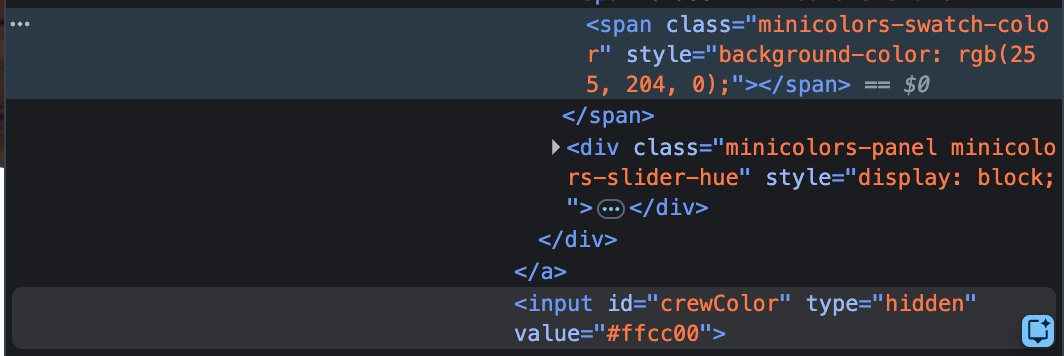

value to your modded hex (example: #FFFFFF00).4. Save, refresh, and share
After setting the color in the inspector, save the crew. The 8-character hex must end in 00, AA, or FF (after your six digit base) so the site accepts it — that’s the modded pattern the in-game editor won’t give you.
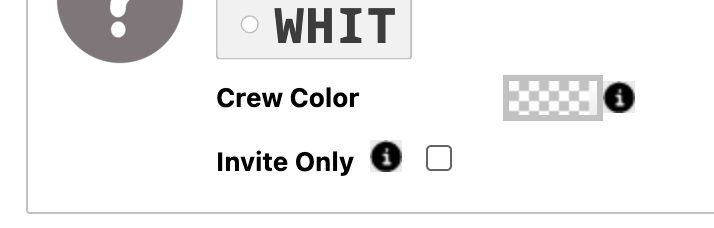
Close the devtools and refresh the page. If it worked, the crew color often shows as a transparent / checkerboard style swatch in the UI.
Copy your crew link from the crew name (right‑click) or trim /manage/edit from the URL if needed. To get the color listed on this site, submit the link and color name / hex via Reddit below.
Directory
The directory will list community-submitted crew colors (name, hex, maybe a short note). Entries are curated so we only list colors that are actually unobtainable in the normal editor.
Directory entries coming soon. We’ll add submitted colors here as they’re reviewed.
Request to submit your crew color
If you have a modded crew color (hex ending in AA, FF, or 00, or otherwise not available in the editor) and want it added to the directory, post in the modded crew color / Color Vault thread on Reddit. Include the hex code and, if you like, a name or short description. We’ll review and add it to this page.
Related
Color Vault — Community gallery of crew hex colors with crew links and a 3D preview. · Color Vault wantlist — Hexes we still need crew links for. · GTA Colors — Color picker for crew and car colors. · Useful Tools — More GTA tools and resources.